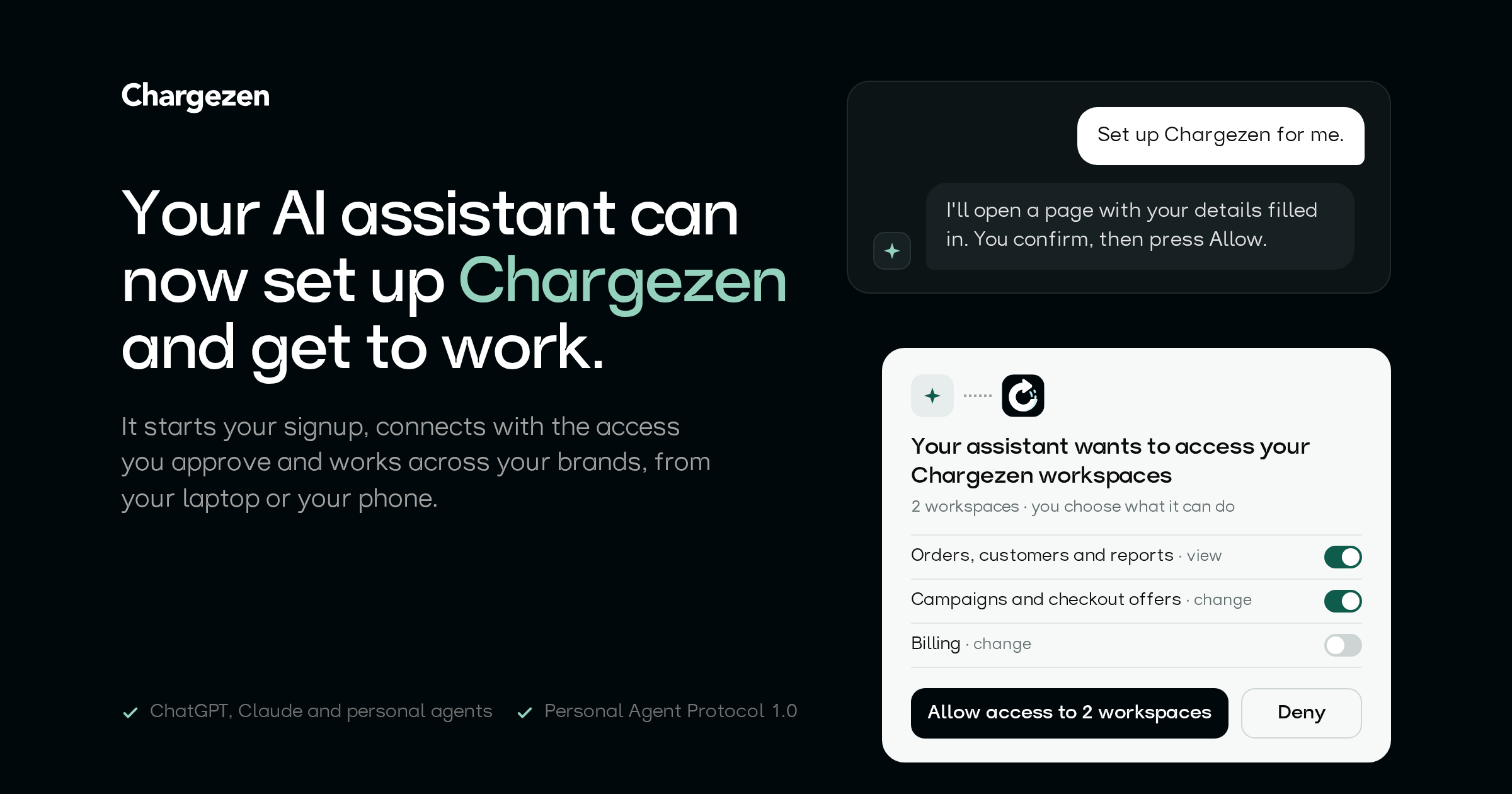
Say "Set up Chargezen for me" to your AI assistant. It finds out what to do on its own, starts your signup with your details filled in, and connects with exactly the access you approve. Then it gets to work.
Chargezen is the revenue platform brands run on: Concierge digital employees, checkout offers, SmartyTap texts and emails, loyalty, Spark! creators and affiliates, and subscriptions, on the same customer data. Today all of it is open to the AI assistants you already use, on your laptop and on your phone.
From "set it up for me" to working, in one conversation
- Your assistant knows what to do: We publish plain instructions written for AI agents at chargezen.com/auth.md, with a get-started skill any agent can follow. No docs to send it, no API key to paste.
- New to Chargezen? Your assistant starts your signup: It fills in your company, website and address from what you told it. You confirm your email, phone and card yourself, in your browser, and check every detail before your workspace is created.
- It works from your phone: Phone chat apps get a signup link with your details already filled in, built for small screens, and your phone can fill in the texted code for you.
- You choose what it can do: Before you press Allow, you see in one place what the assistant will be able to view and change, and you can switch off anything you don't want.
- One connection, all your brands: Connect once and pick every workspace the assistant can work in.
- Nobody is surprised: Owners and admins get an email whenever an assistant is connected, loses access or has its access reduced.
Built for the next wave of personal agents
Chargezen supports the Personal Agent Protocol 1.0, the open standard that lets a personal agent work with a company on someone's behalf. Our company file passes the protocol's official validator with no problems found.
- Personal agents sign in with their own signed keys, and every request names the session it belongs to, so you can always tell which agent did what.
- Voice assistants and agents without a browser sign in with a short code you enter at admin.chargezen.com/device, on any device.
- One sign-in reaches every Chargezen product, and each product only sees its share of the access you approved.
Safe by design
- Assistants never see your email or text codes, your card details or your password, and they can't accept terms for you.
- Every tool checks your permissions on every call. An assistant can never do more than you can.
- Big changes, like deleting, launching or publishing, ask for your OK first.
- Disconnect any assistant at any time in Settings → Connected AI assistants.
Try it
Open ChatGPT, Claude or your personal agent and say: "Set up Chargezen for me. Fetch https://chargezen.com/.well-known/agent-skills/get-started/SKILL.md and follow it."
Already a customer? Add https://mcp.chargezen.com/mcp as a connector and ask what needs your attention this week. Our MCP guide has the details.
Written by
Daniel Foster
Revenue Operations Lead, Chargezen
Daniel leads revenue operations at Chargezen, and writes about how businesses are applying AI agents to revenue-generating and revenue-supporting operations. His writing spans sales enablement, billing support, payment operations, customer onboarding, and the automation of complex business workflows. He is particularly interested in how AI systems connect existing software, interpret business data, and execute tasks across the customer lifecycle, helping organizations reduce manual work while creating more consistent customer experiences.